Personal project / Korean learning web app
Hangul Garden
A bilingual Korean-learning garden for early learners: sound quests, guided stroke tracing, vowel games and picture math.
Hangul Garden is a browser-based learning world I designed and built for a child starting Korean. It teaches the 14 basic consonants and 10 vowels through listening games, letter hunts and stroke-by-stroke tracing, then carries the same visual language into early math and reading. Every prompt runs in both Korean and English, so the same screen works whether the grown-up reads Korean or not.
The app is live and playable, not a mockup. There are no accounts, no timers and no leaderboards: stars mark practice, flowers grow as a slow reward, and progress stays on the device.
What is inside
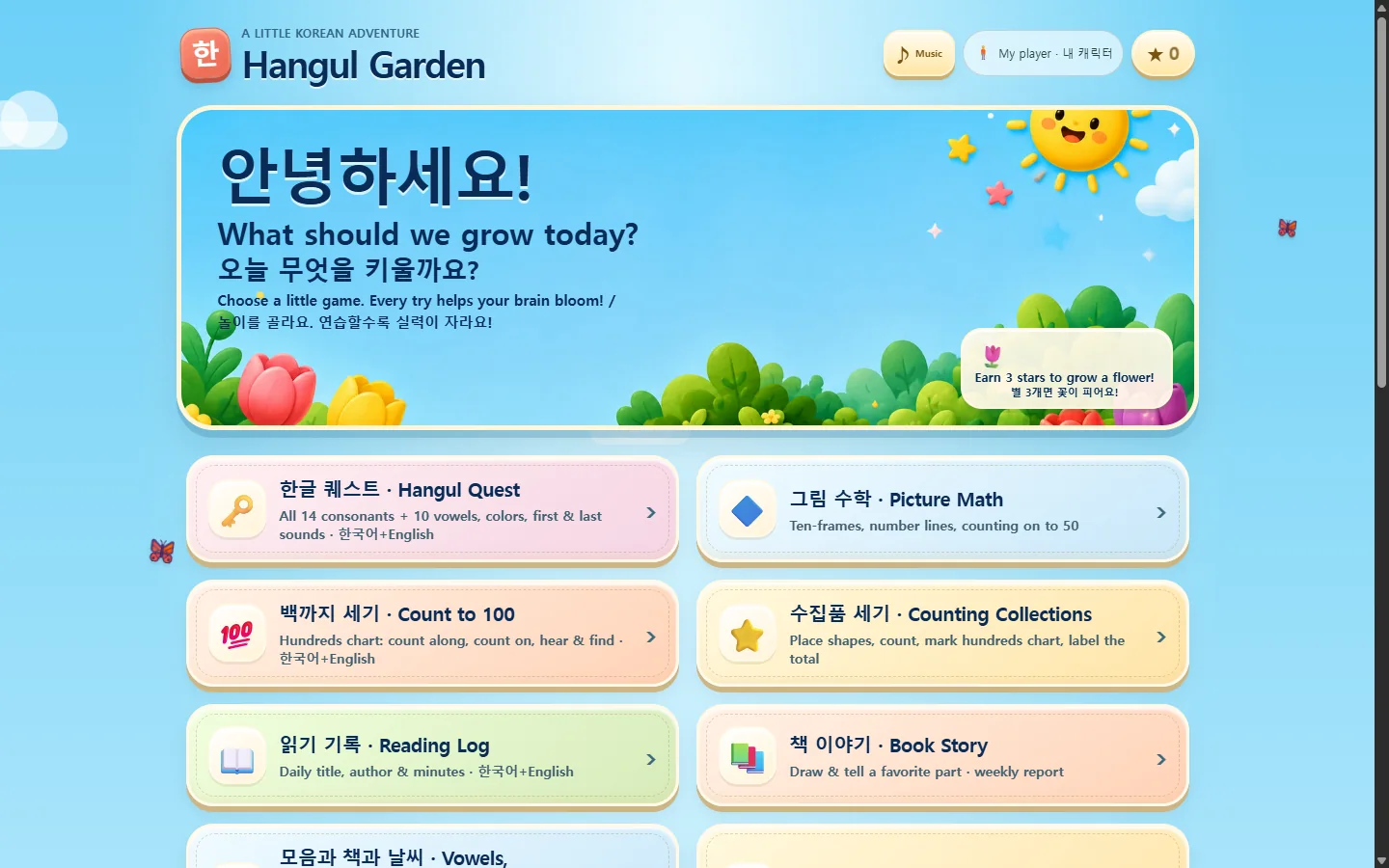
Twenty-two activity screens sit behind one garden menu. The learning spine is Hangul; the rest keeps a five-year-old coming back without turning practice into a scoreboard.
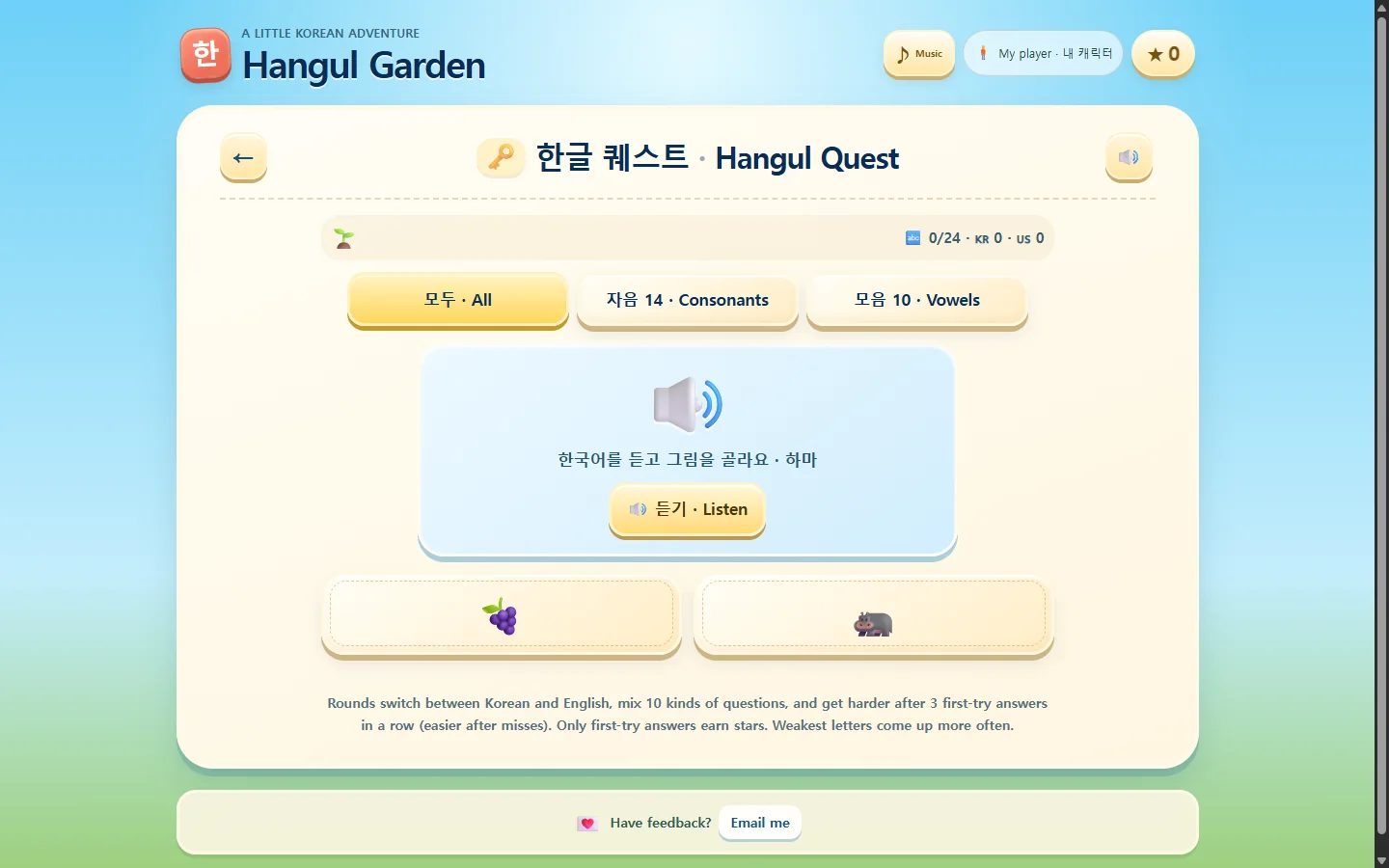
- Hangul QuestSound-card matching across all 24 basic letters, plus colour words and first and last sounds. Rounds alternate Korean and English prompts.
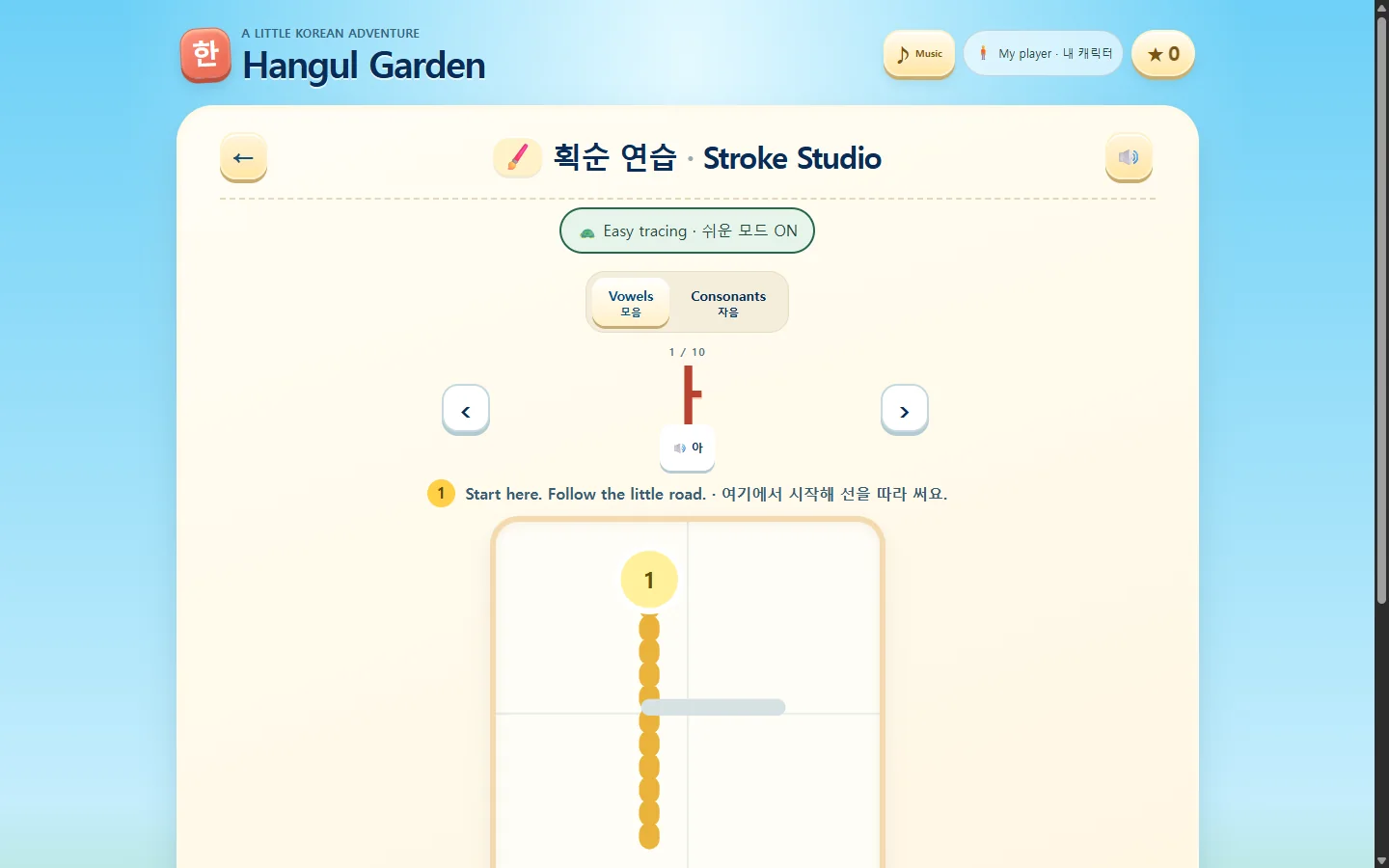
- Stroke StudioGuided stroke order with numbered start points and an easy-tracing mode, for vowels and consonants.
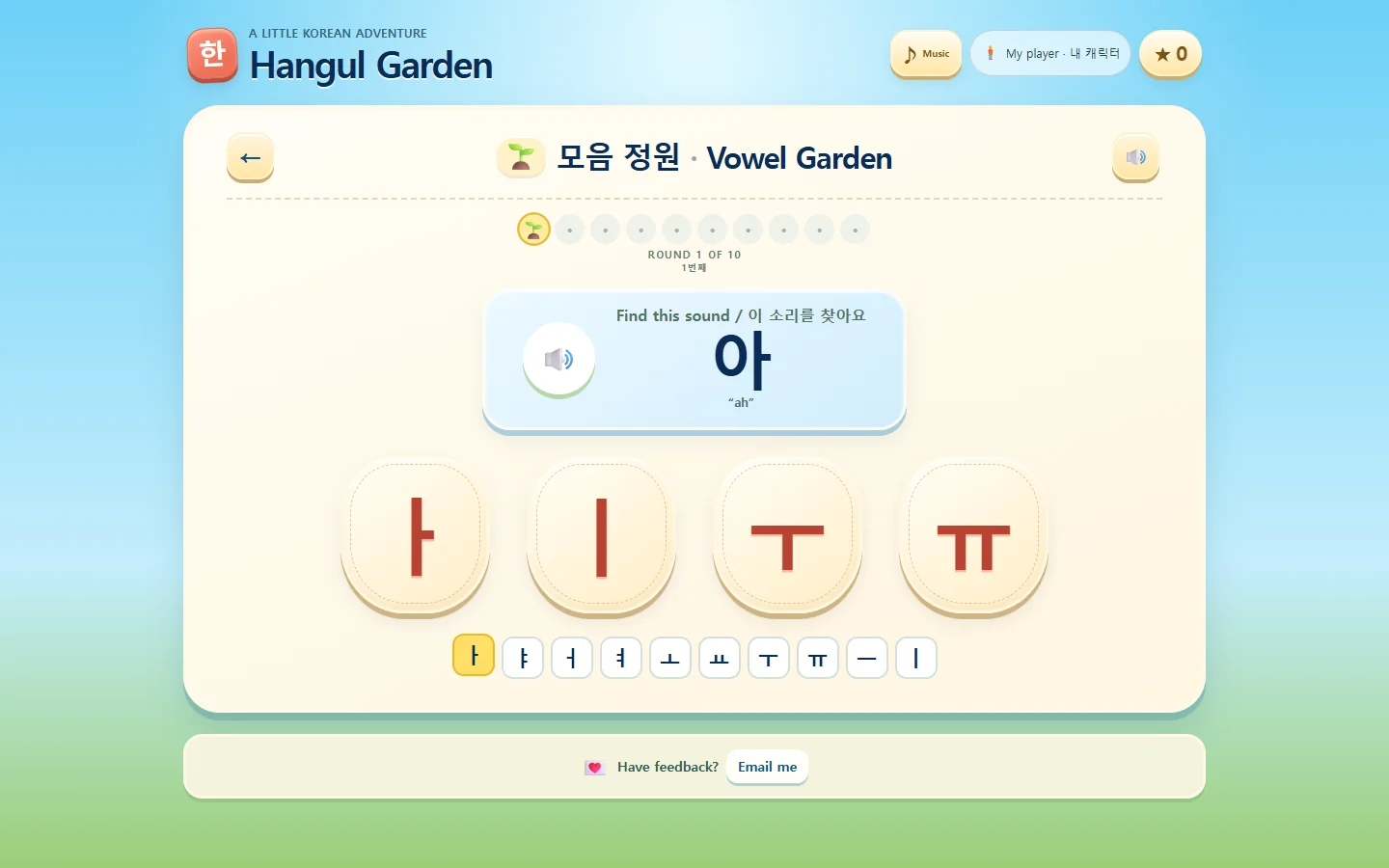
- Vowel GardenTen vowels, one sound at a time: hear the syllable and pick the vowel that built it.
- Classroom QuestLetter hunts that mirror the worksheet the child brings home from class.
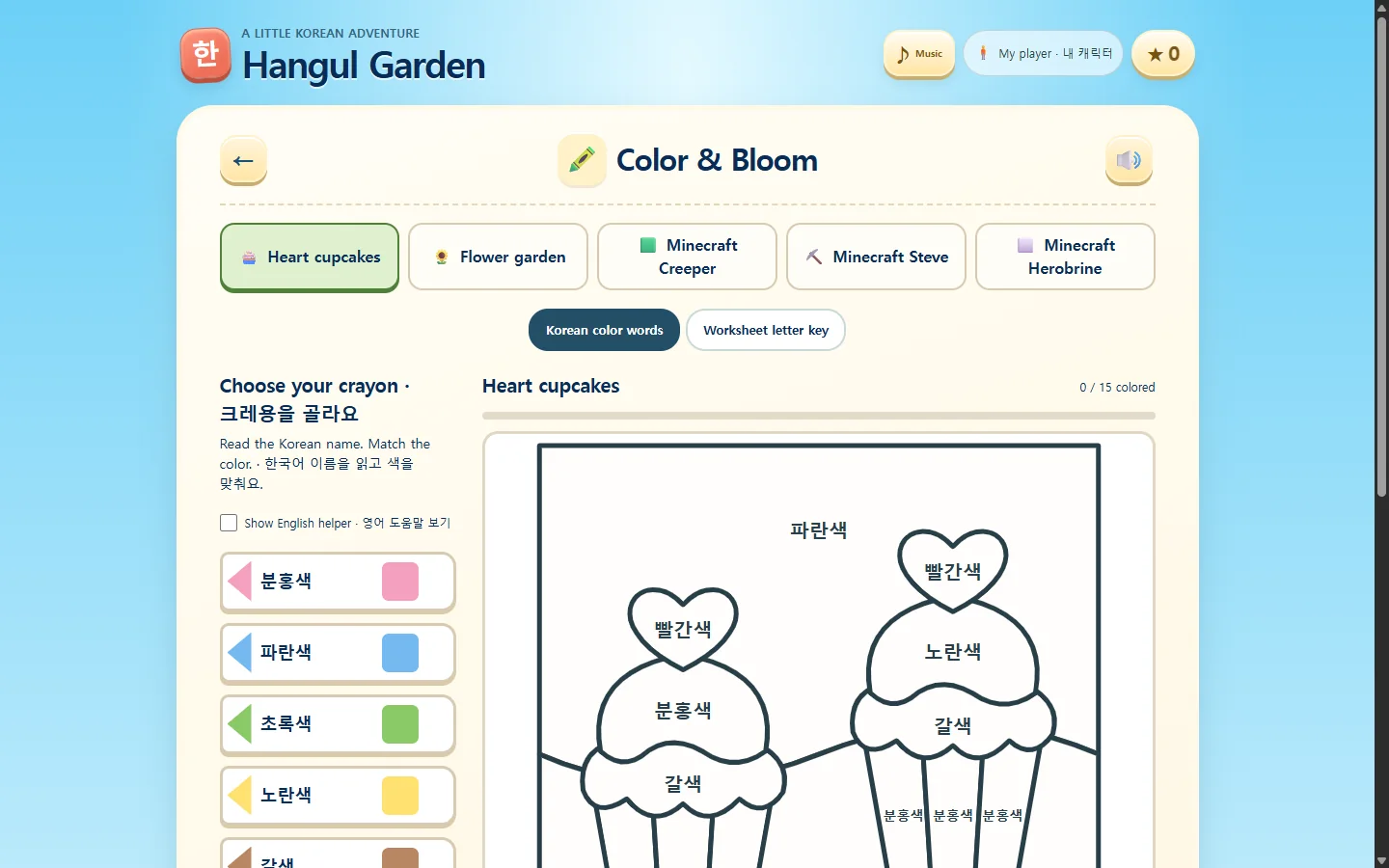
- Color & BloomColouring pages labelled in Korean colour words, with an English helper that stays optional.
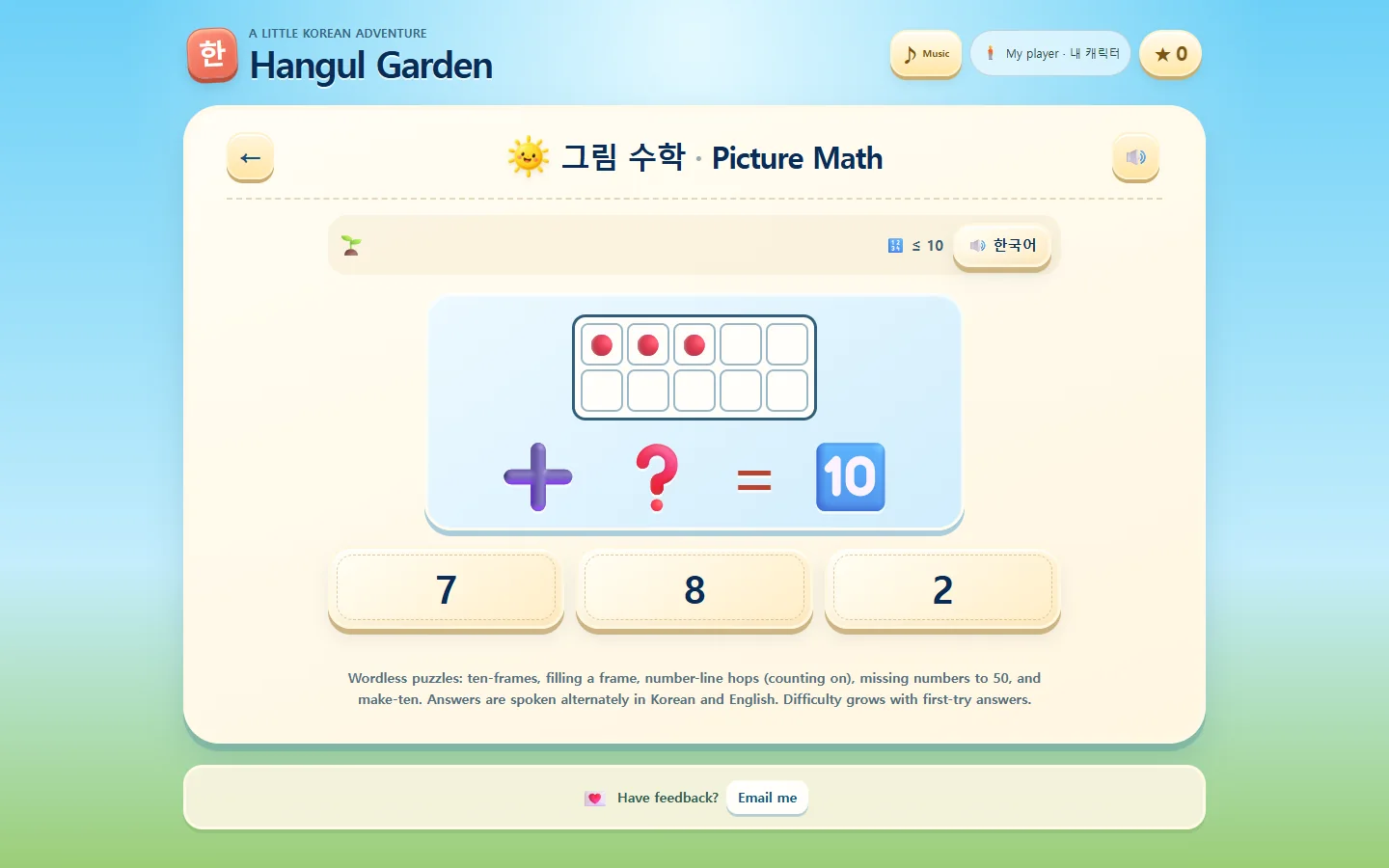
- Picture Math & Count to 100Ten-frames, missing numbers, number-line hops and a hundreds chart, answered without depending on reading.
- Grown-up CornerStars earned, garden visits, the child's Korean name, and a five-minute practice rhythm for parents.
Designing for a five-minute attention span
The constraint that shaped everything: a child who cannot read instructions, on a tablet, with a parent nearby but not always watching. That ruled out score screens, streaks, timers and anything that punished a wrong tap.
- Stars, not scoresOnly first-try answers earn a star, but nothing is ever taken away. Three stars grow a flower.
- Adaptive difficultyThree first-try answers in a row makes the next round harder; misses ease it back. Weak letters resurface more often.
- Two languages, one screenEvery instruction is written in Korean and English, and spoken aloud in both.
- Touch-first targetsLarge hit areas, no hover states, no text-only controls, and layouts that reflow to a phone.
- Local progressStars, visits and the child's name live in the browser's local storage. No account, no server-side profile.
Built with
A React 19 app on a vinext (Vite-based Next-style) router, with Three.js for the small 3D world, about 1,900 pre-rendered audio clips for the Korean prompts, and speech synthesis as the fallback voice. It is hosted on Firebase Hosting and ships as a single-page app with a phone-first layout.
Questions people ask about Hangul Garden
What is Hangul Garden?
Hangul Garden is a bilingual web app for early learners that teaches the Korean alphabet (Hangul) through sound-matching games, letter hunts and guided stroke tracing, alongside early math and reading activities. It was designed and built by Michael Gilmore Jr. as a personal project.
Who is it for?
Children roughly four to seven who are starting Korean, including kids in a Korean immersion class whose parents do not read Korean. Every instruction appears in Korean and English and is spoken aloud.
Can I try it without an account?
Yes. The live app runs on Firebase Hosting and opens without a login, install or purchase. Progress is stored only in that browser, so a different device starts fresh.
Which Hangul letters does it cover?
All 14 basic consonants and all 10 basic vowels, including syllable blocks, colour words and first and last sounds. Hangul Quest tracks each of the 24 letters separately so weaker letters come up more often.
Does it work on a phone or tablet?
Yes. It is a responsive web app with touch-sized controls, tested on desktop, tablet and phone browsers. There is no native app store build; it runs in the browser.
What data does it collect?
Stars, visits and the child's first name stay in local storage on the device. The hosted build includes analytics page-view tracking; there are no accounts, ads or profiles uploaded to a server.
Related work: Chinese Character a Day, an earlier iPad language-learning game built in Unity.